ABRSM Online Music Theory Grades 1-5 Enrolment Guide
ABRSM Online Music Theory enrolment guide for Hong Kong candidates: account login, exam selection, candidate details, payment and exam-link email.

ABRSM Online Music Theory Grades 1-5 are booked through the ABRSM online portal. The booking process shares the same account, dashboard, candidate, address, and payment screens as other public venue and digital exams, but the exam itself is accessed later through a link sent by email.
This guide follows the ABRSM portal screenshots captured on 10 June 2026 and is written for Hong Kong users enrolling for Online Music Theory Grades 1-5.
Start from the ABRSM public venue and digital exams portal: https://portal.abrsm.org/PublicVenue.
If you have registered with ABRSM before, choose Login on the first screen instead of creating a new account. This keeps previous candidates, bookings, and results linked to the same profile.
Before you start
Have these ready before opening the booking form:
- ABRSM account email address, username, and password
- applicant first name, family name, date of birth, and National ID number
- candidate official English name
- candidate date of birth and National ID number
- candidate email address
- Online Music Theory grade, from Grade 1 to Grade 5
- any access arrangement or specific need
- whether the candidate needs the translation option
- postal address and phone number
- payment card or PayPal access
- discount code, if you have one
The candidate email address matters. ABRSM sends the exam window and exam link by email, so use an address that will be checked before the exam.
Online Music Theory enrolment flow
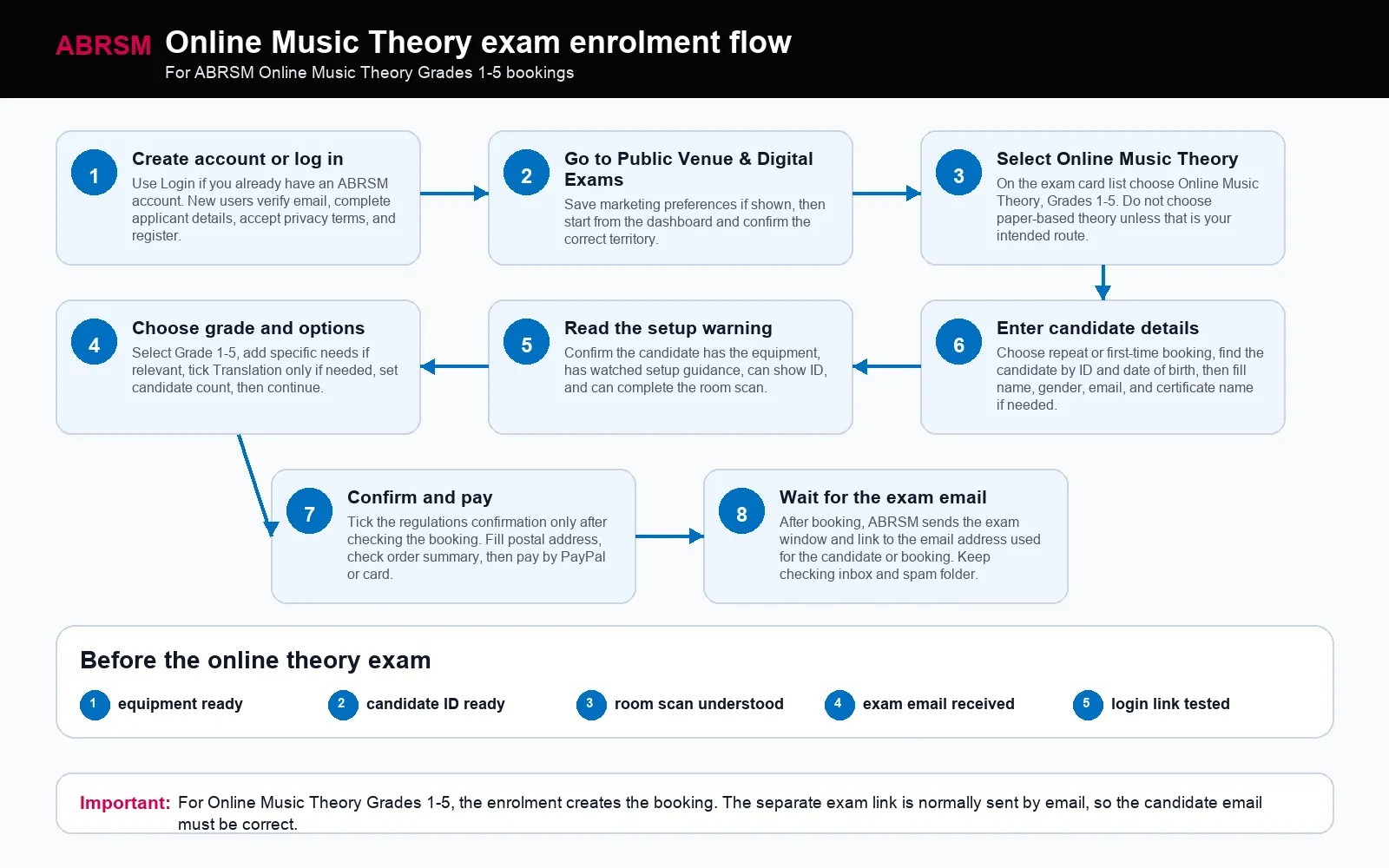
Use this as the big picture: create or log in to the account, choose Online Music Theory, select the grade, read the setup warning, enter candidate details, pay, then watch for the exam-link email.
Create or log in to an ABRSM account
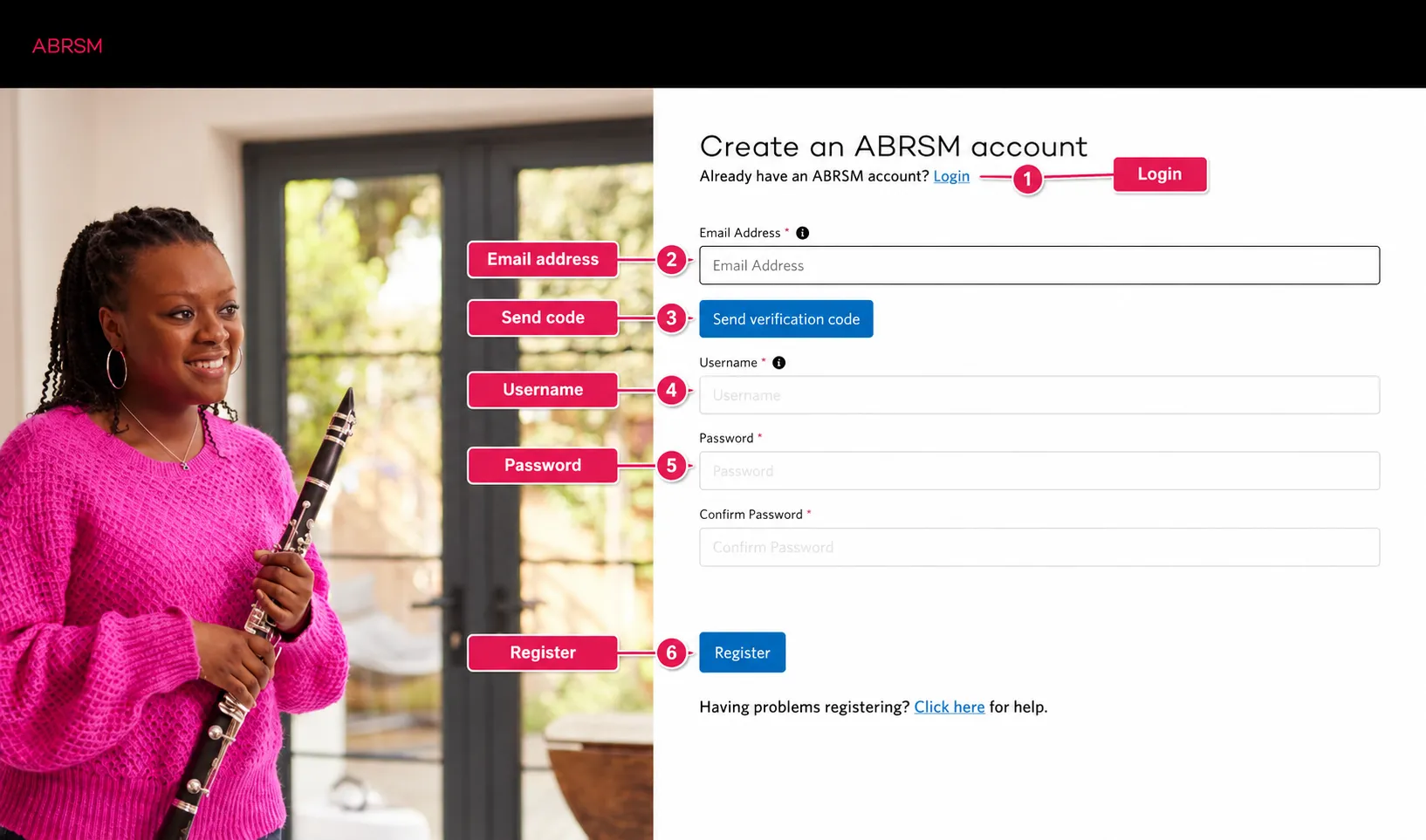
If you already have an ABRSM account, press Login. If this is your first time, enter your email address and press Send verification code.
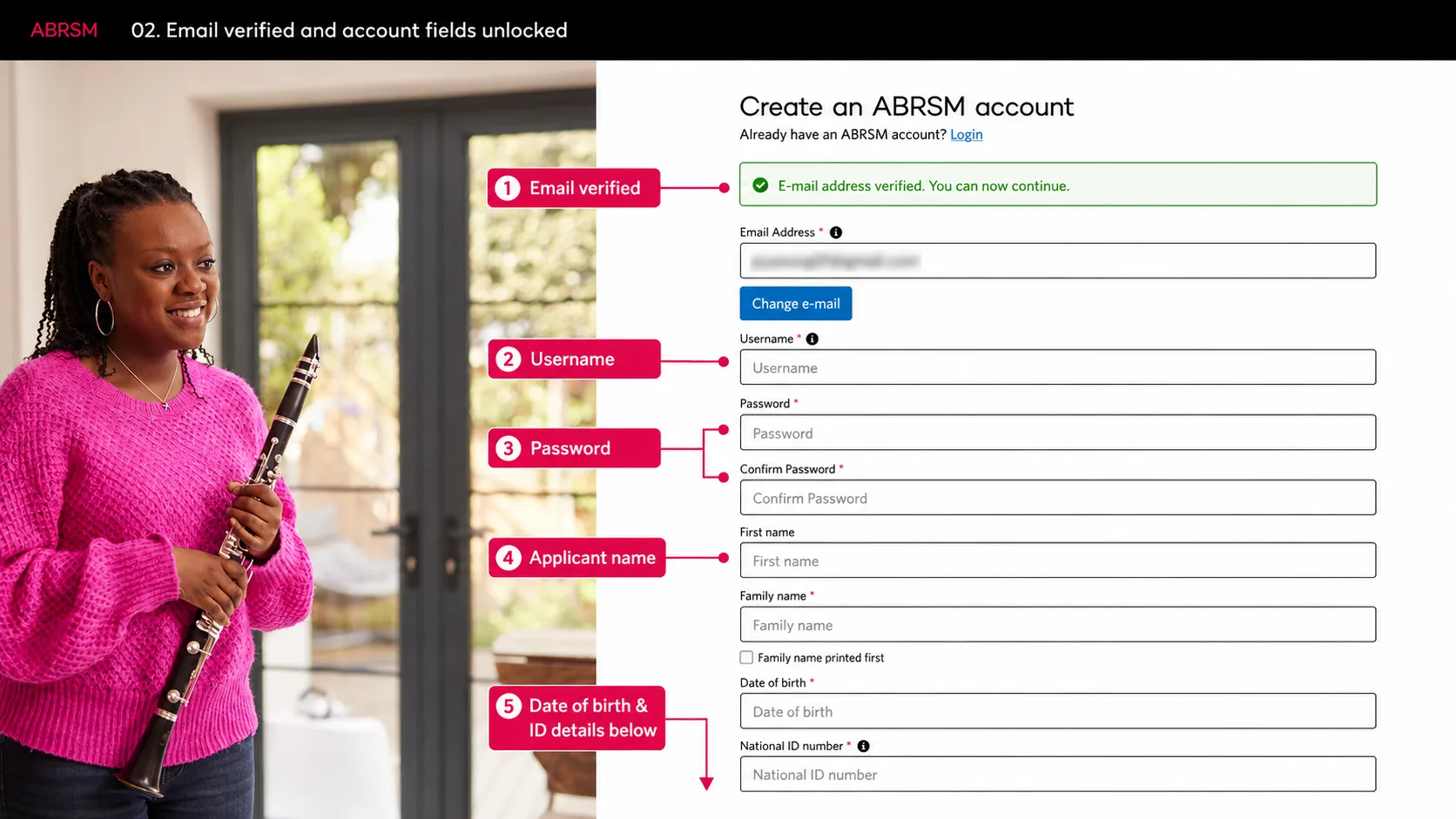
After the email is verified, fill in the username, password, applicant name, date of birth, and National ID fields.
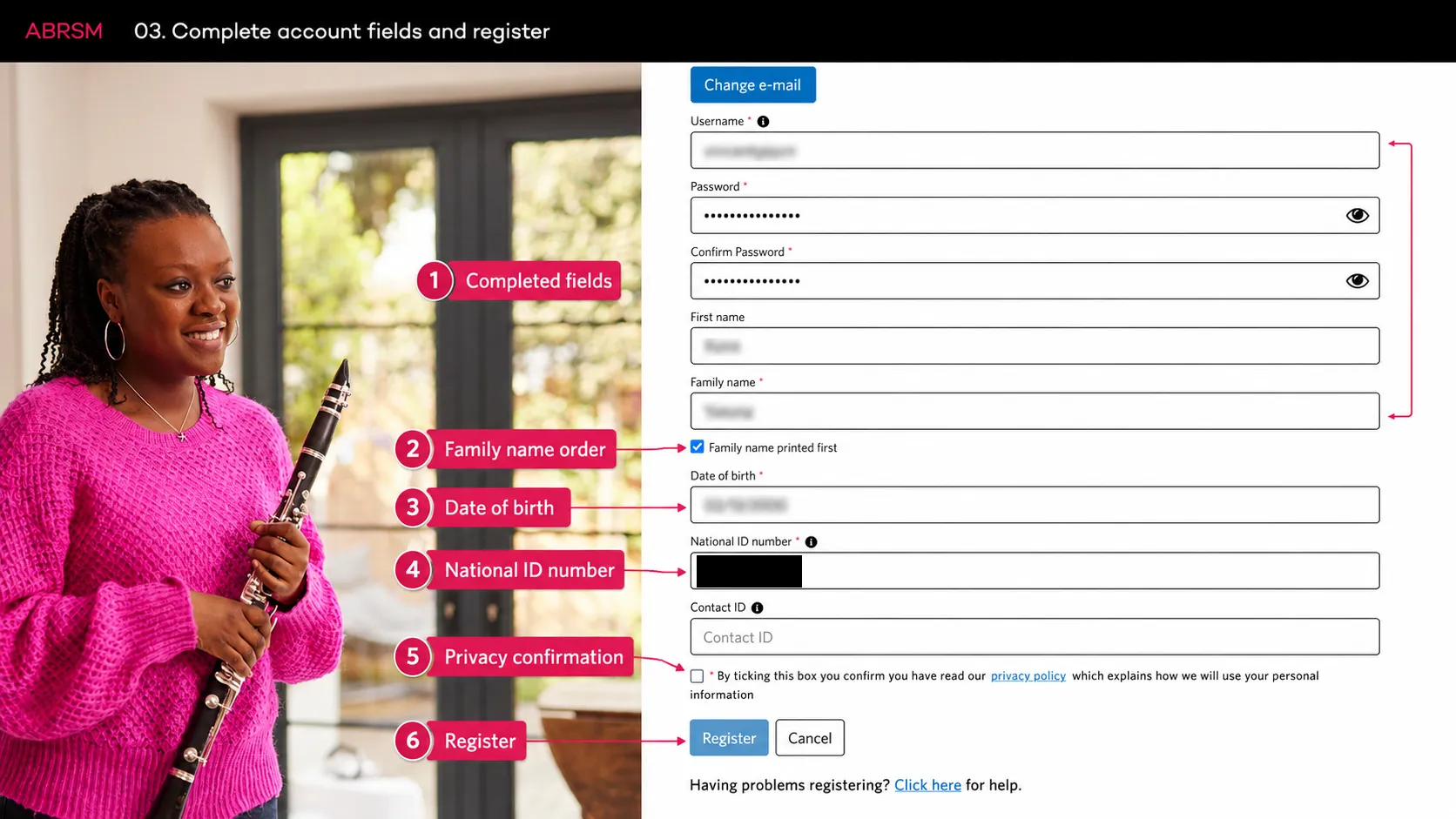
Check the applicant details before ticking the privacy confirmation. Press Register only when the required fields are complete.
Save preferences and start the booking
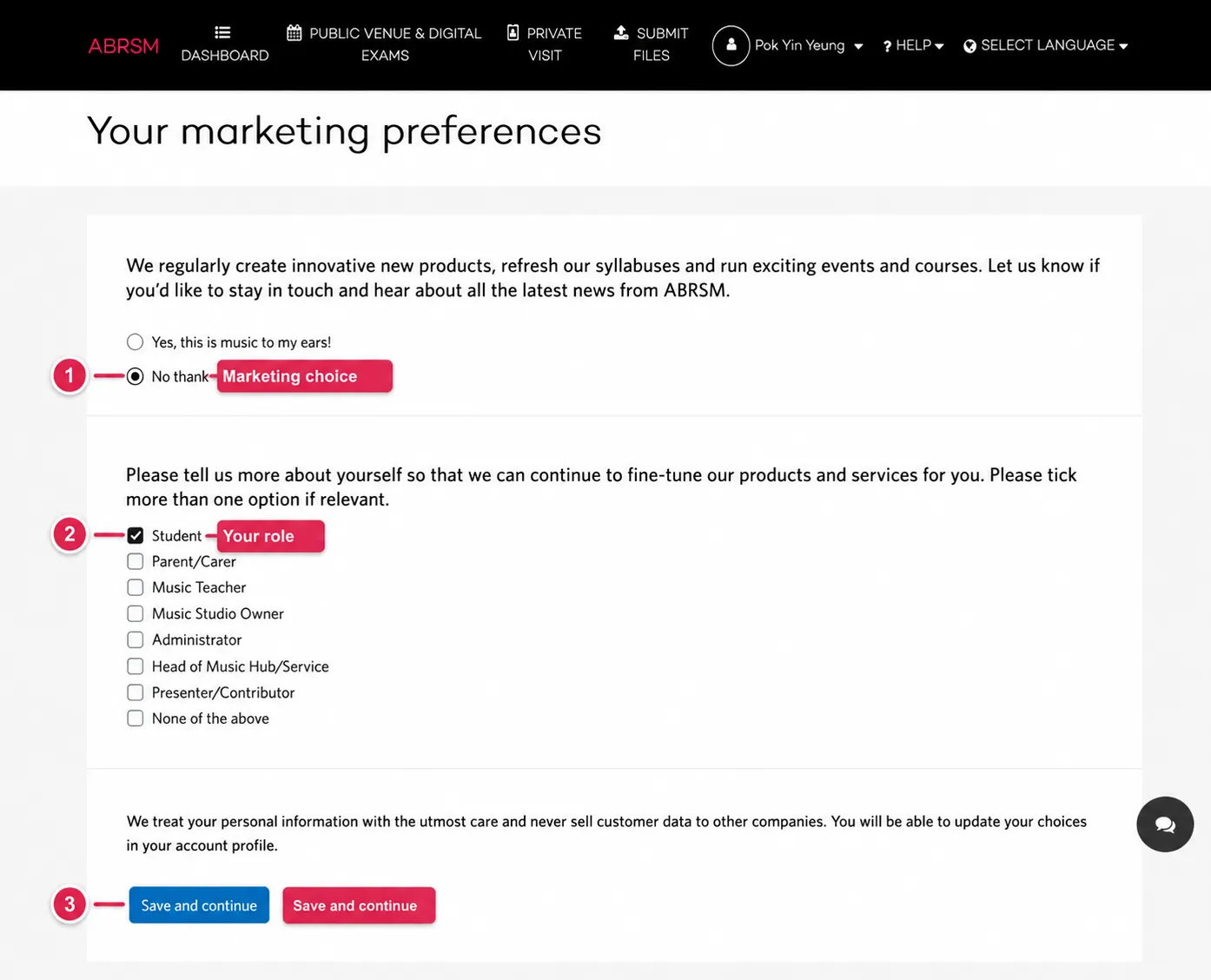
ABRSM may ask for marketing preferences after registration. Choose whether to receive updates, tick your role, and press Save and continue.
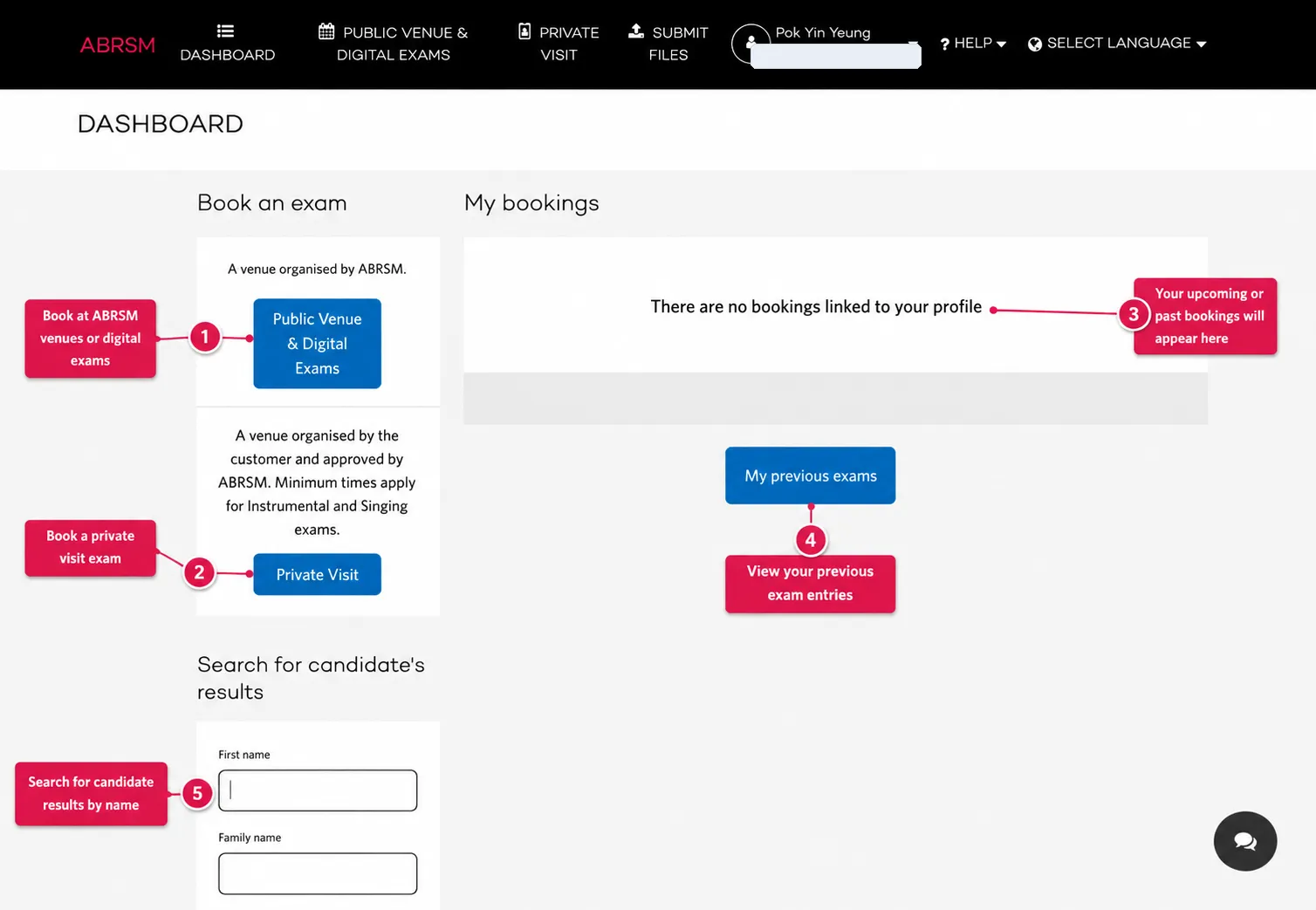
On the dashboard, choose Public Venue & Digital Exams.
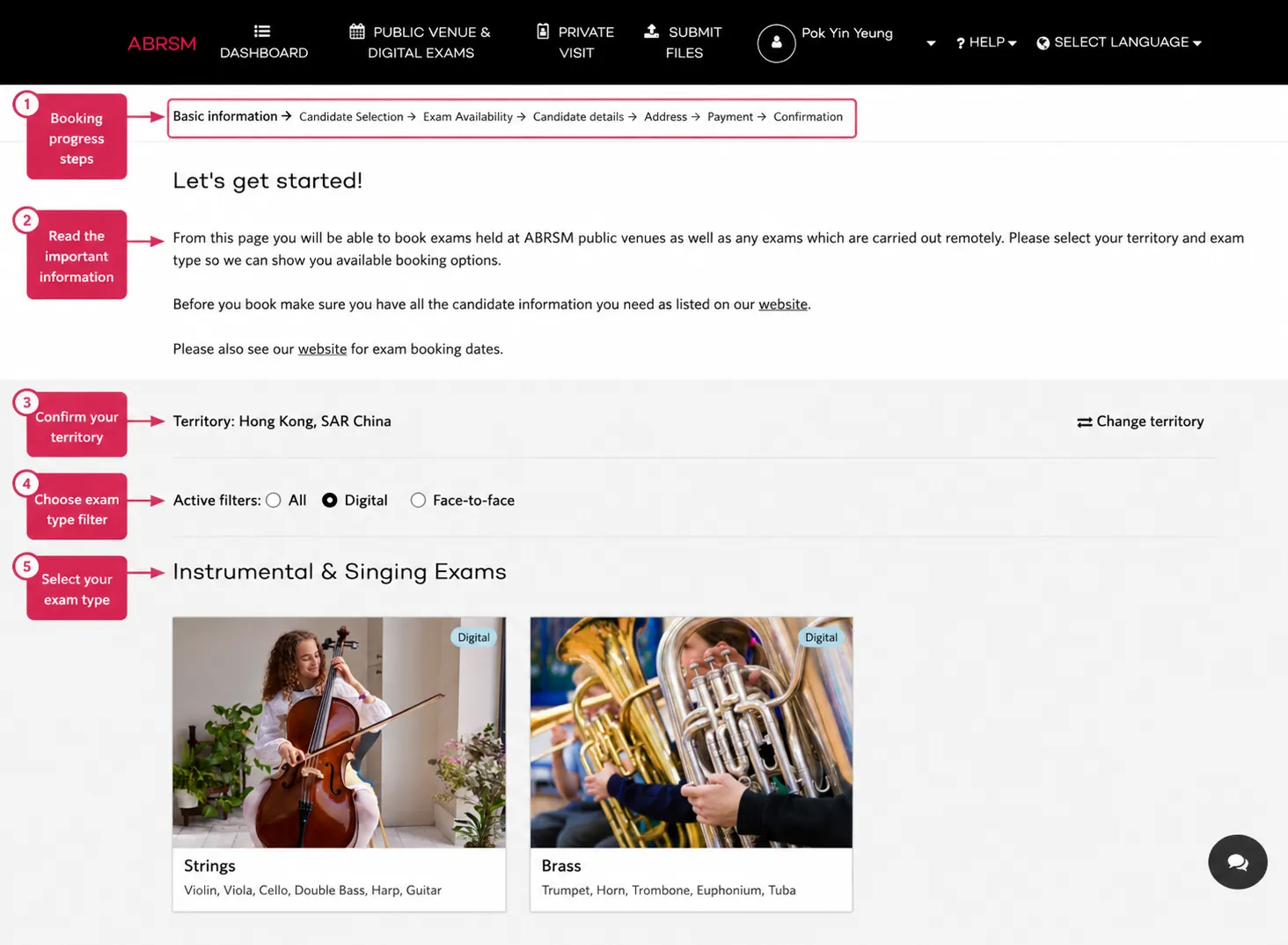
Confirm the territory, such as Hong Kong, SAR China. Territory affects available exams, prices, dates, and payment details.
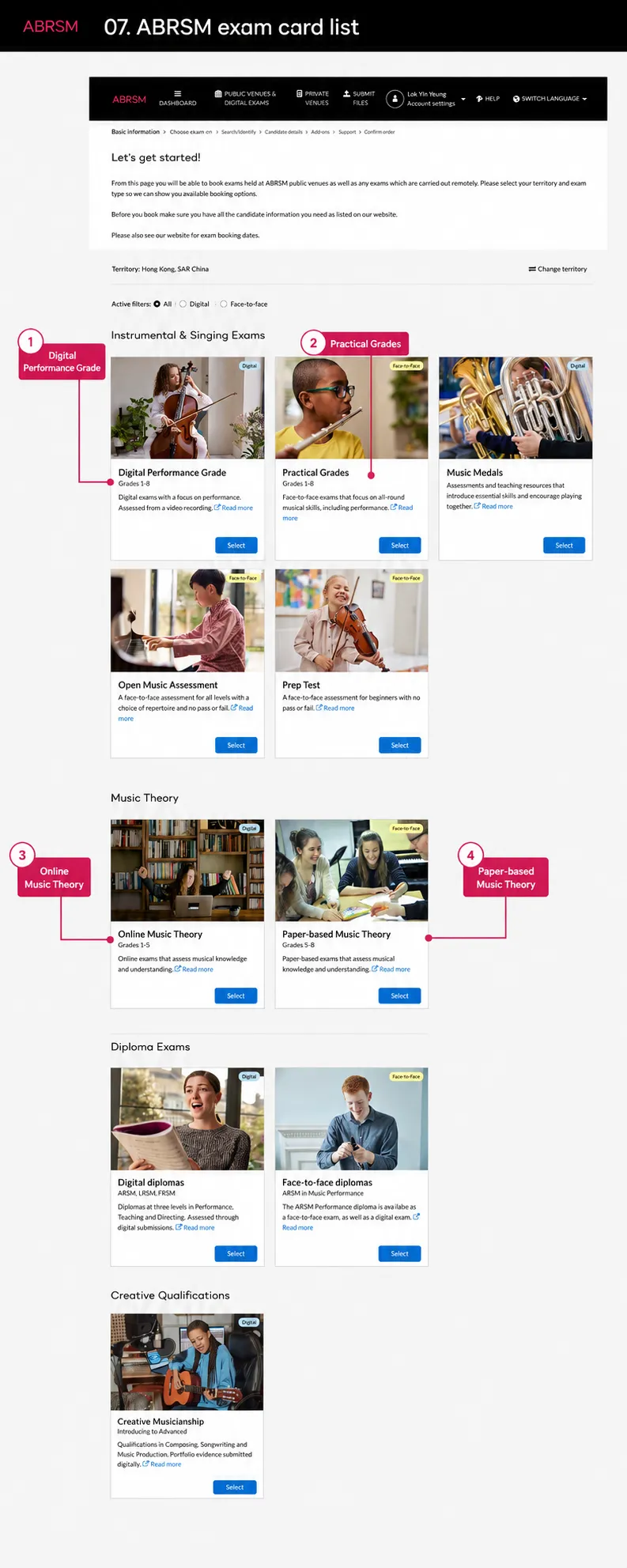
Choose Online Music Theory, Grades 1-5. Do not choose Paper-based Music Theory unless that is the route you intend.
Candidate selection and setup warning
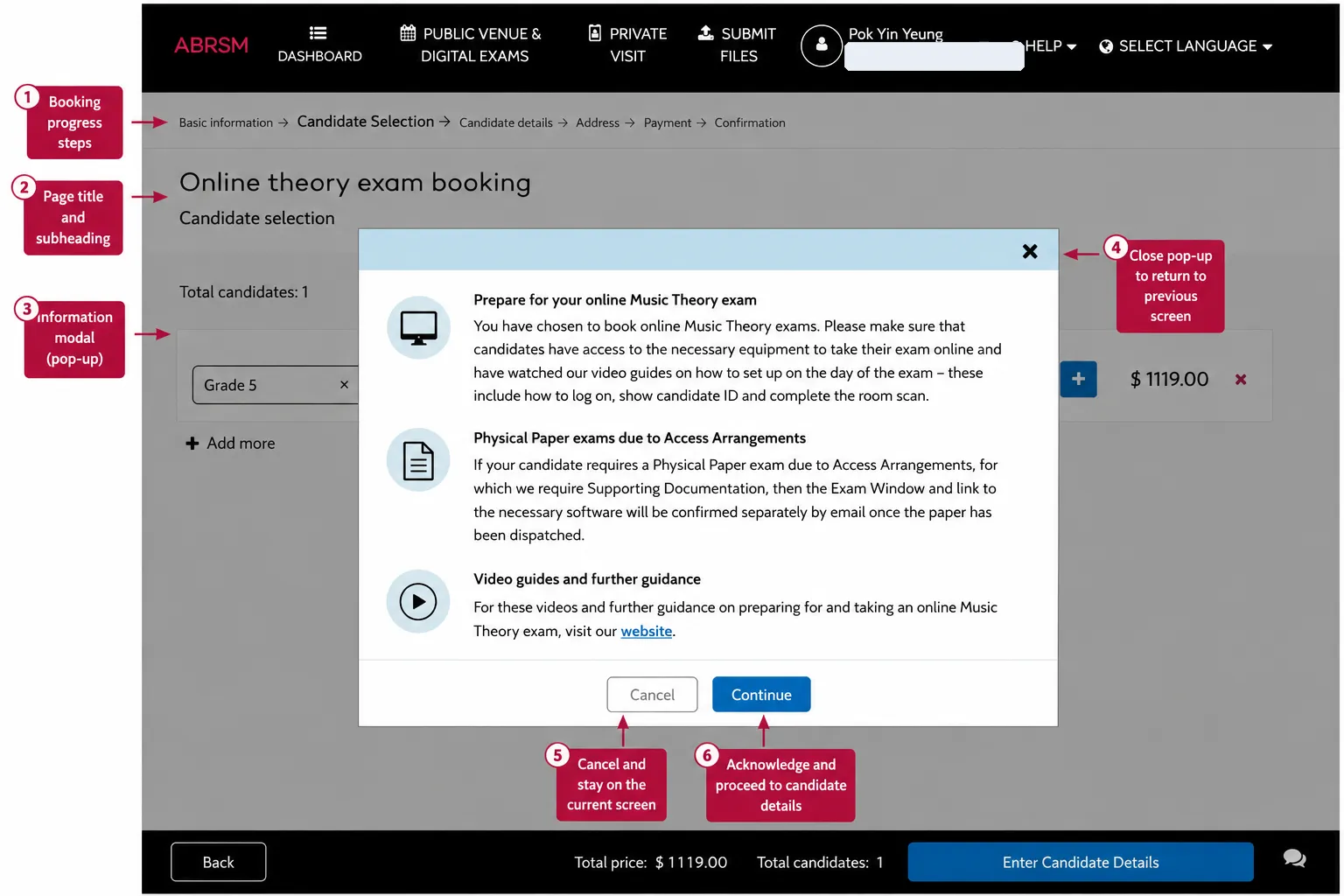
ABRSM may show a setup warning for Online Music Theory. Read it before continuing. The candidate needs suitable equipment, should understand the setup guidance, and must be ready to show ID and complete the room scan.
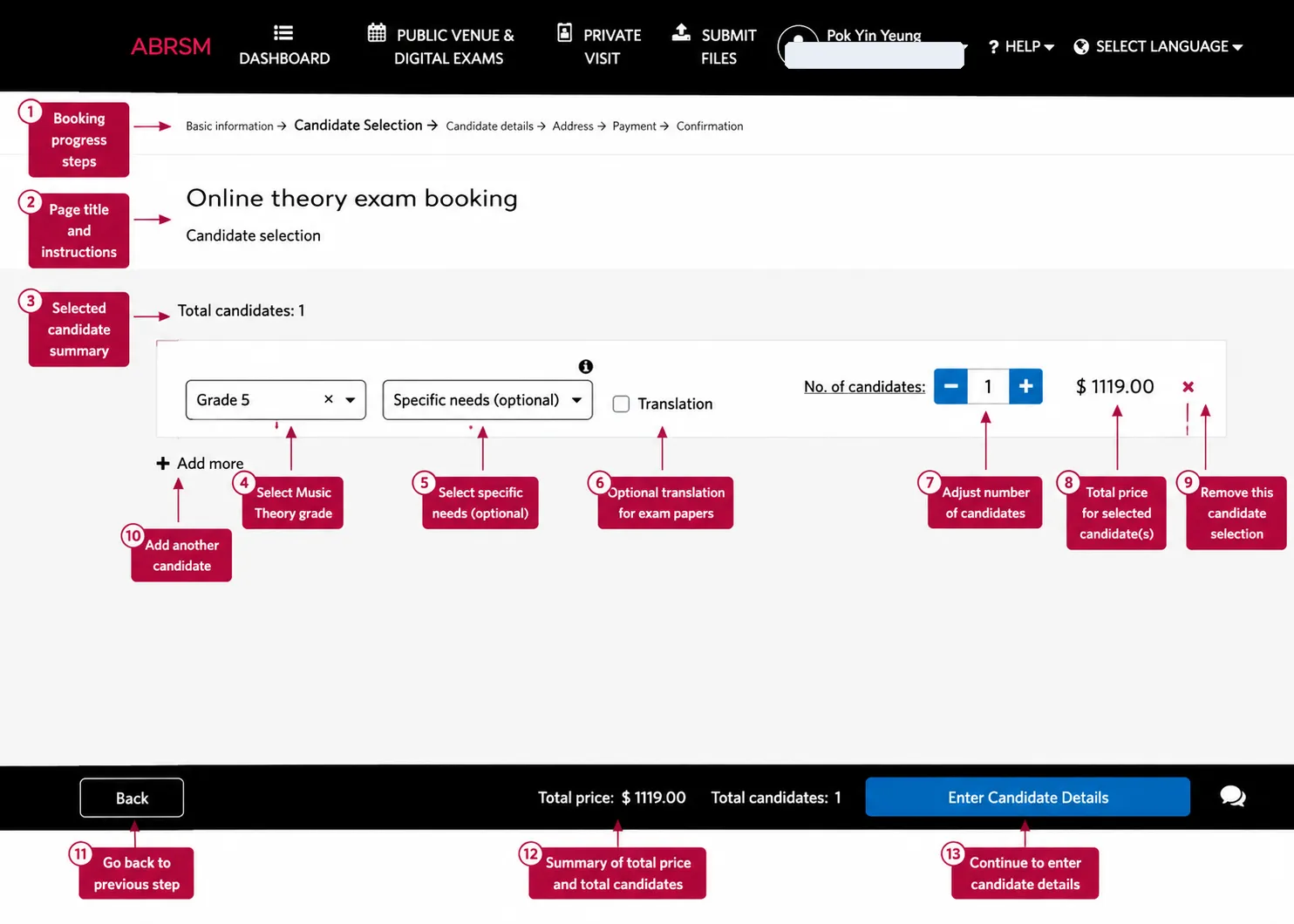
Choose the theory grade, such as Grade 5. Choose specific needs if relevant. Tick Translation only if the candidate needs that option. Set the number of candidates and press Enter Candidate Details.
Candidate details and payment
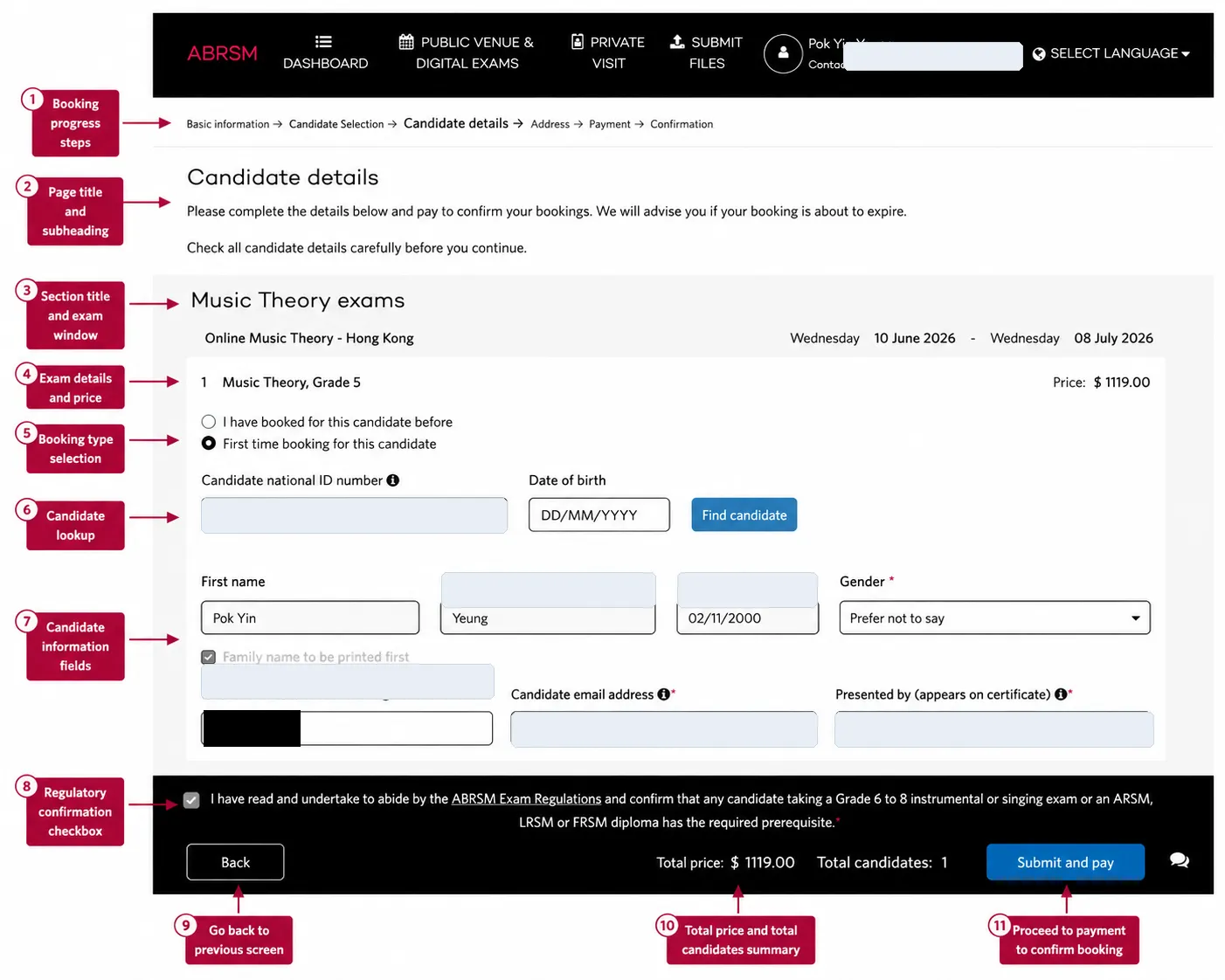
Choose whether this candidate has been booked before. Enter the candidate National ID number and date of birth, then press Find candidate.
If ABRSM does not find the candidate, complete the candidate details. Check the candidate name, date of birth, National ID number, candidate email address, certificate display name, selected grade, price, and exam window before continuing.
Tick the ABRSM regulations confirmation only after checking the details. Press Submit and pay.
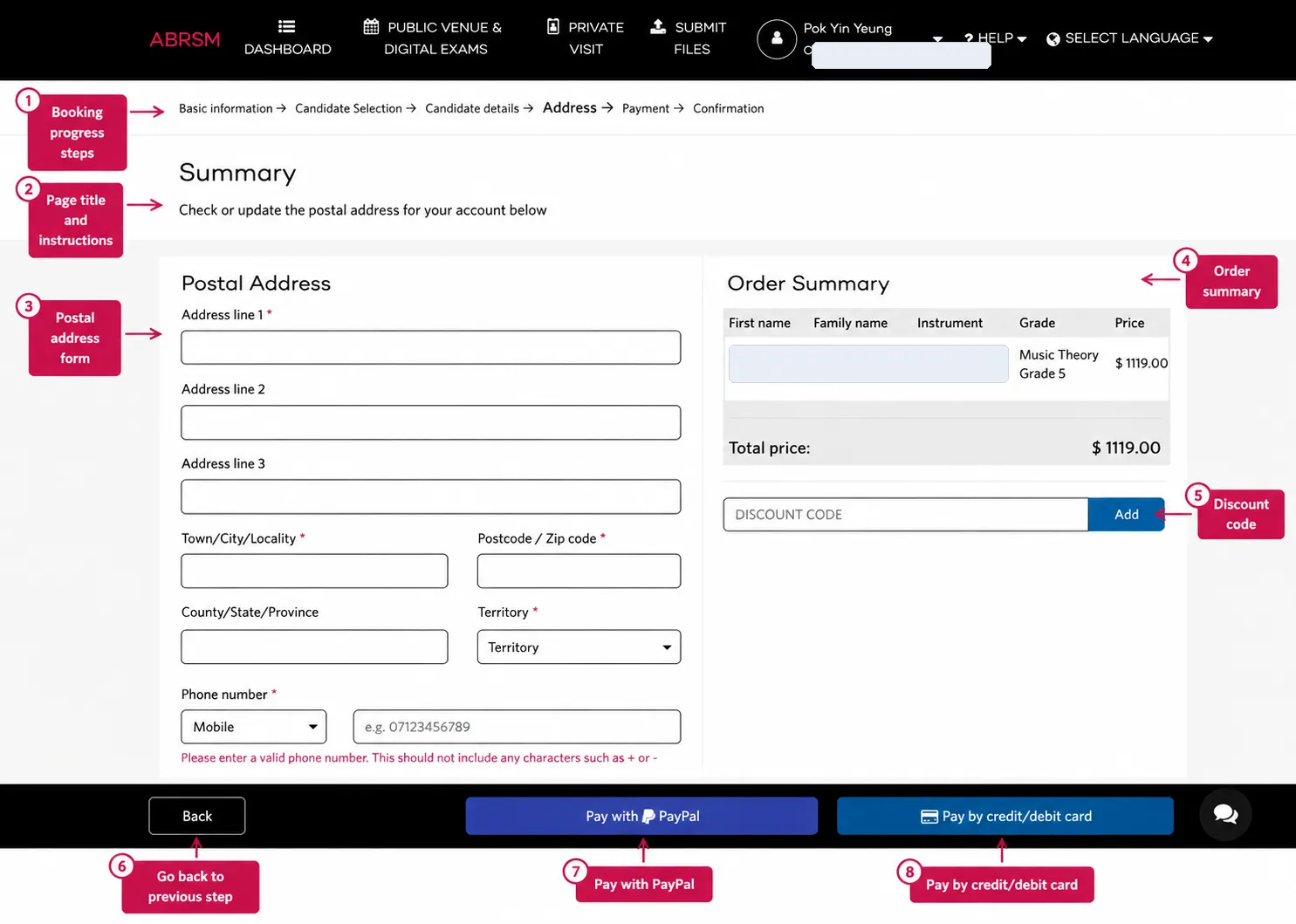
Fill the postal address and phone number. If the portal warns that the phone number should not include characters such as + or -, enter digits only.
Check the order summary, add a discount code if you have one, then pay by PayPal or credit/debit card. Wait for ABRSM’s confirmation page and confirmation email.
After booking
For Online Music Theory Grades 1-5, the booking creates the exam entry. The exam link is sent by email after booking, so keep checking the candidate or account email inbox.
Before the exam window, check:
- the confirmation email has arrived
- the candidate email address is correct
- spam or junk folders have been checked
- the candidate has suitable equipment
- the candidate ID is ready
- the candidate understands the login, ID check, and room scan
- the exam link has been received and tested before the exam window closes
Final check
Before payment, slow down and confirm the ABRSM account, territory, Online Music Theory grade, number of candidates, candidate name, date of birth, National ID, candidate email address, certificate display name, translation option, specific-needs option, price, and discount code.
The email address is especially important for Online Music Theory. A correct booking is only useful if the candidate can receive and use the exam link in time.