【教學】ABRSM 網上樂理一至五級報名指南
香港考生適用的 ABRSM Online Music Theory 一至五級報名指南,逐步說明登入或建立帳戶、選擇 Online Music Theory、填寫考生資料、付款,以及查收 exam link email。

ABRSM Online Music Theory Grades 1-5 需要透過 ABRSM online portal 報名。它和其他 Public Venue & Digital Exams 共用帳戶、dashboard、考生資料、地址和付款頁面;但考試本身之後會透過 email 發送 exam link。
這篇文章根據 2026 年 6 月 10 日截圖整理,適合香港考生或家長報考 ABRSM Online Music Theory 一至五級。
開始前,先到 ABRSM Public Venue and Digital Exams portal:https://portal.abrsm.org/PublicVenue。
如果你以前已經註冊過 ABRSM 帳戶,第一個畫面請按 Login,不要重新開新帳戶。這樣可以避免舊有考生、booking 和成績分散在不同 account。
開始前準備
打開報名表之前,先準備好:
- ABRSM account email、username 和 password
- 申請人 first name、family name、出生日期和身份證明文件號碼
- 考生正式英文姓名
- 考生出生日期和身份證明文件號碼
- 考生 email
- Online Music Theory grade,一至五級
- 如有需要,access arrangement 或 specific need
- 考生是否需要 translation option
- 郵寄地址和電話號碼
- 信用卡、扣帳卡或 PayPal
- 如有,discount code
考生 email 很重要。ABRSM 會用 email 發送 exam window 和 exam link,所以要填一個考試前一定有人查看的 email。
Online Music Theory 報名流程總覽
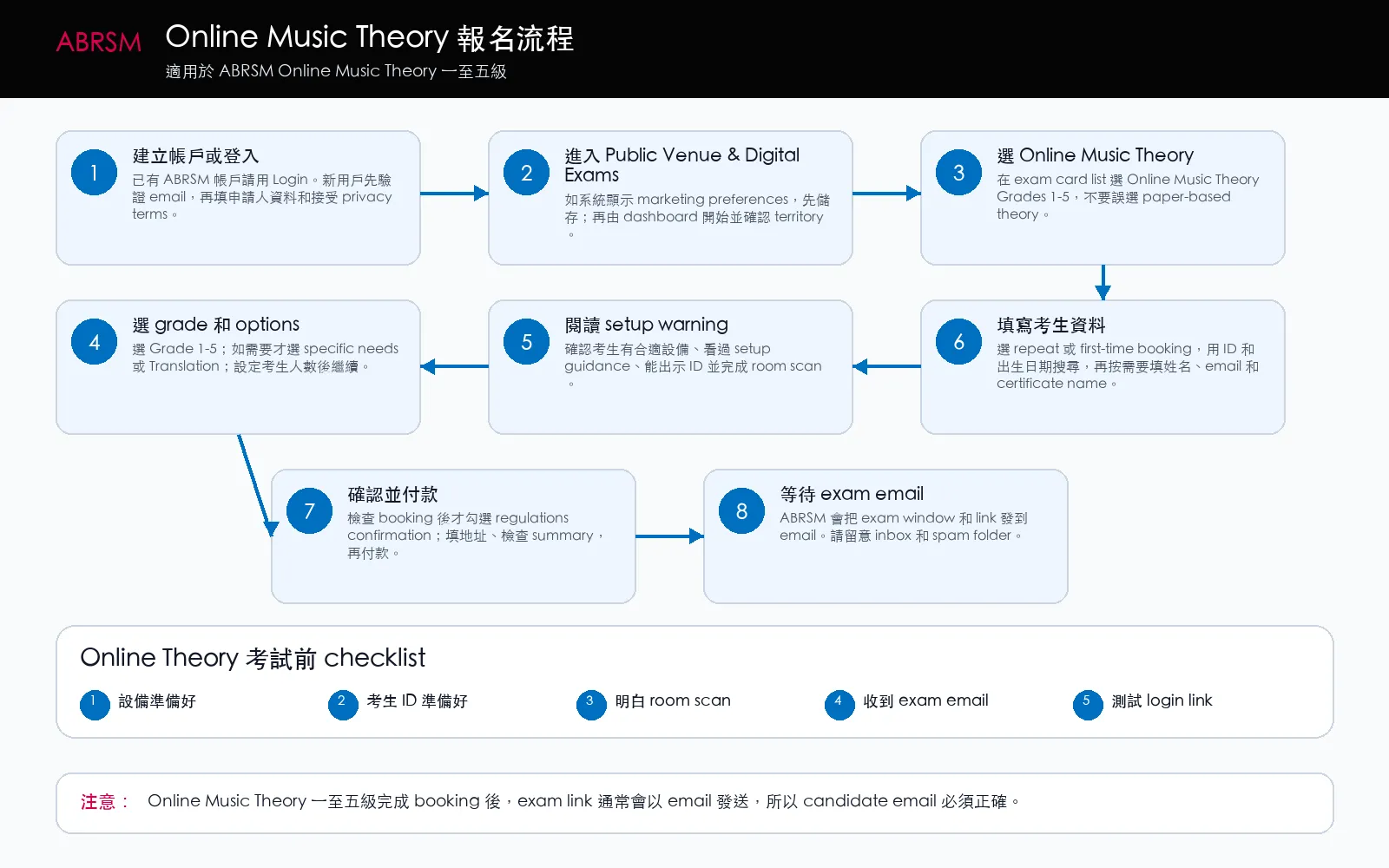
大方向是:登入或建立帳戶,選擇 Online Music Theory,選 grade,閱讀 setup warning,填寫考生資料,付款,然後等 exam-link email。
建立或登入 ABRSM 帳戶
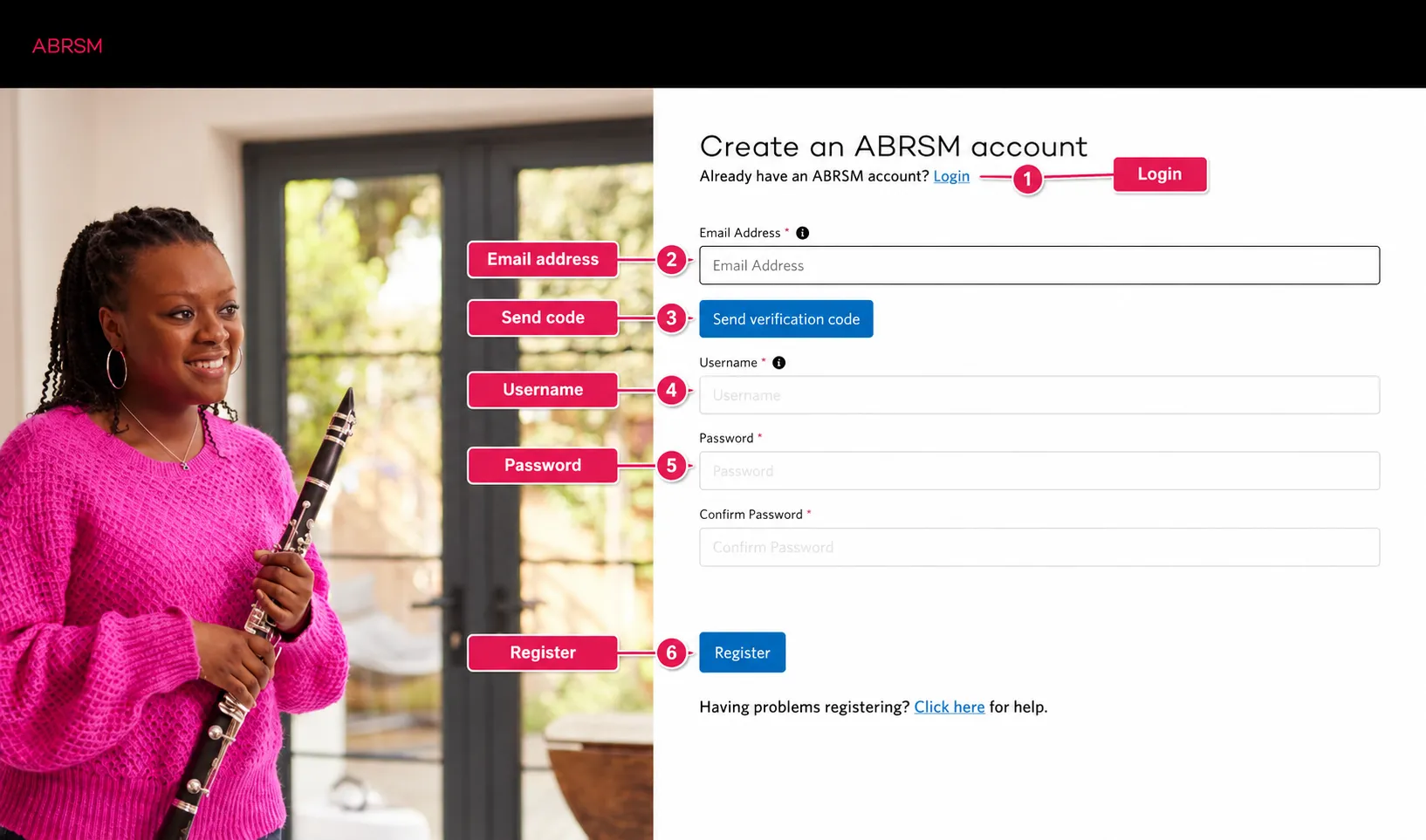
已有 ABRSM 帳戶就按 Login。第一次使用才輸入 email address,然後按 Send verification code。
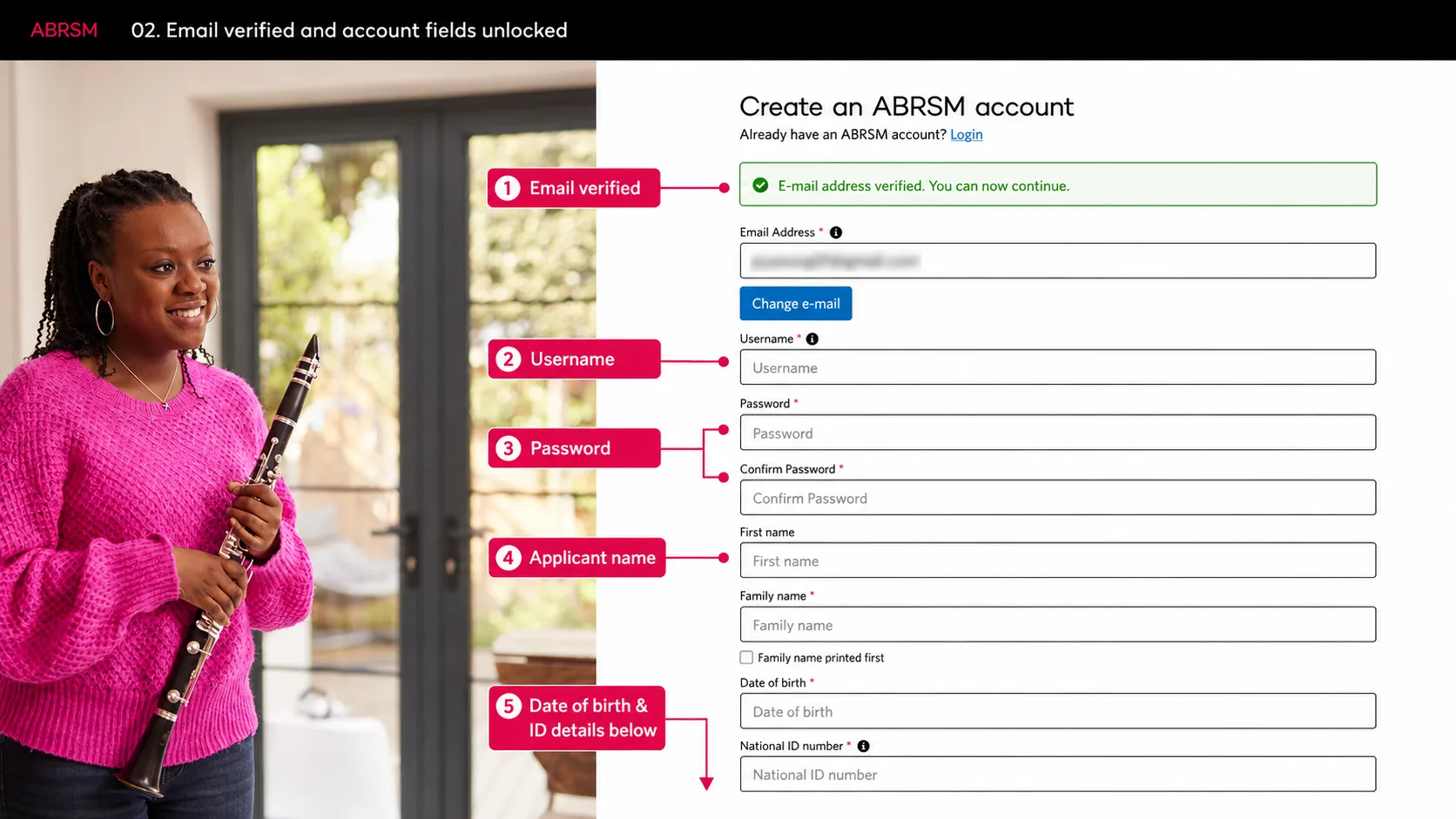
完成 email 驗證後,填 username、password、申請人姓名、出生日期和 National ID。
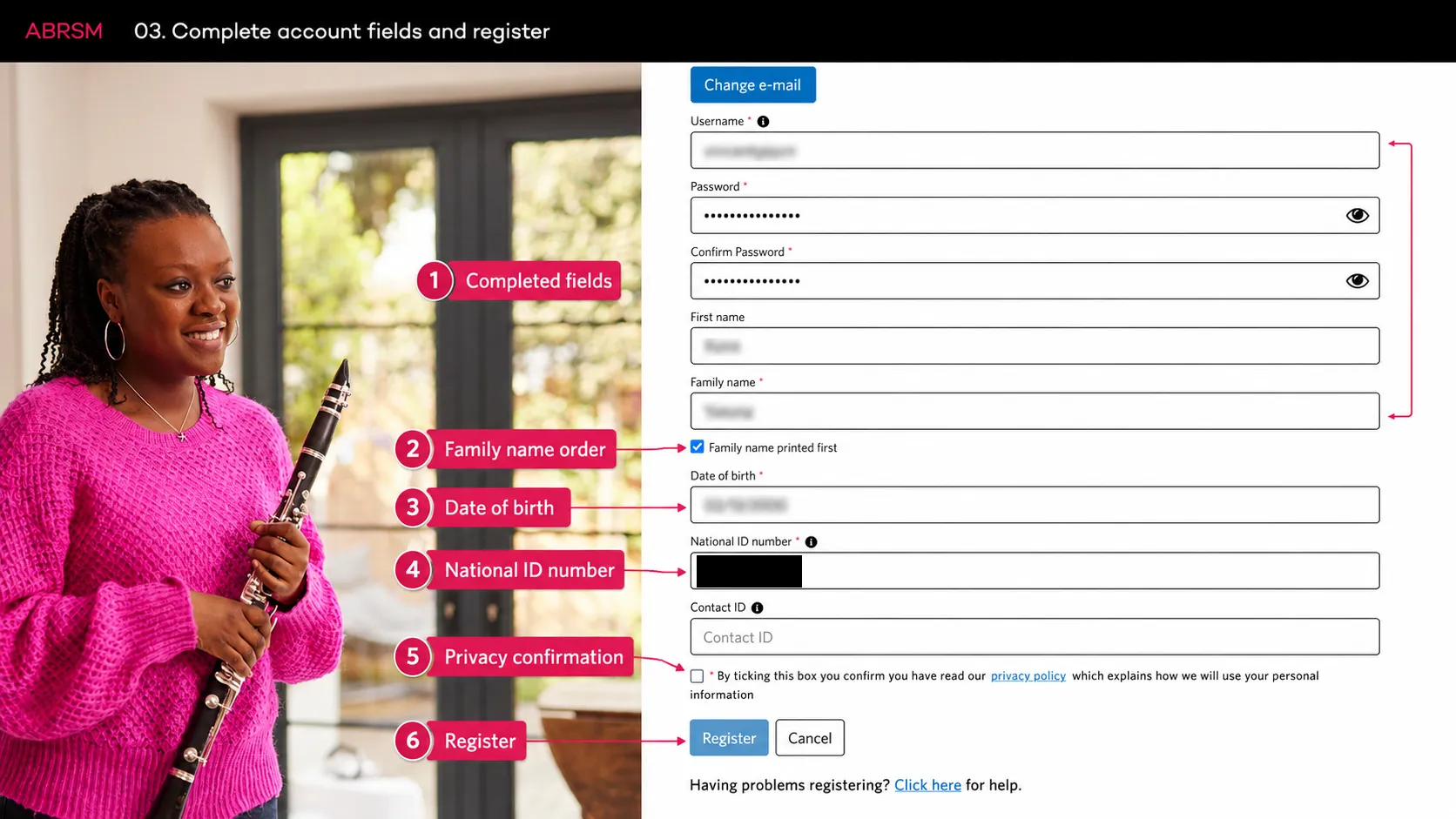
檢查資料後才勾選 privacy confirmation,所有必填欄位完成後按 Register。
儲存偏好並開始 booking
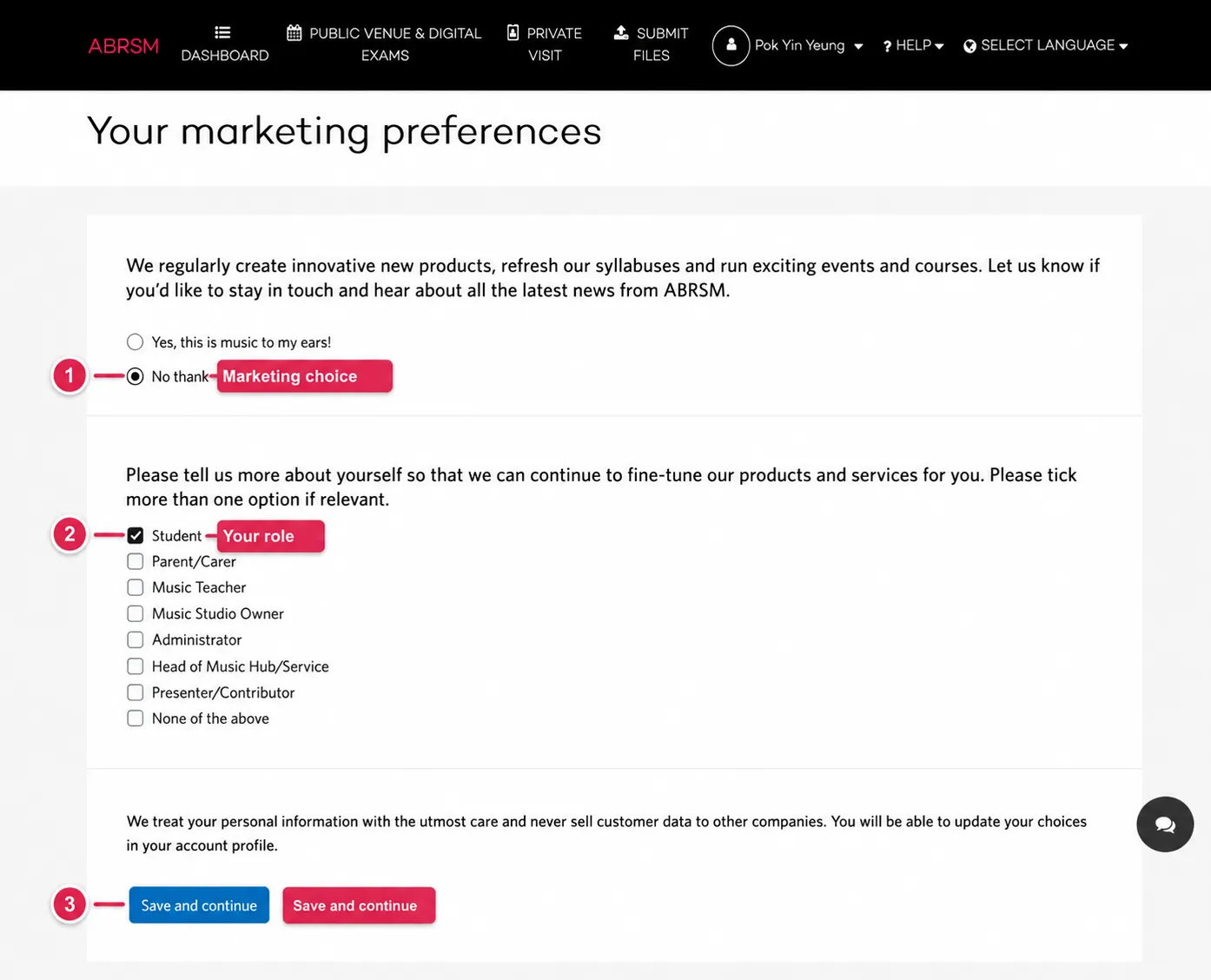
ABRSM 可能會要求你選擇 marketing preferences。選擇是否接收資訊,勾選你的身份,然後按 Save and continue。
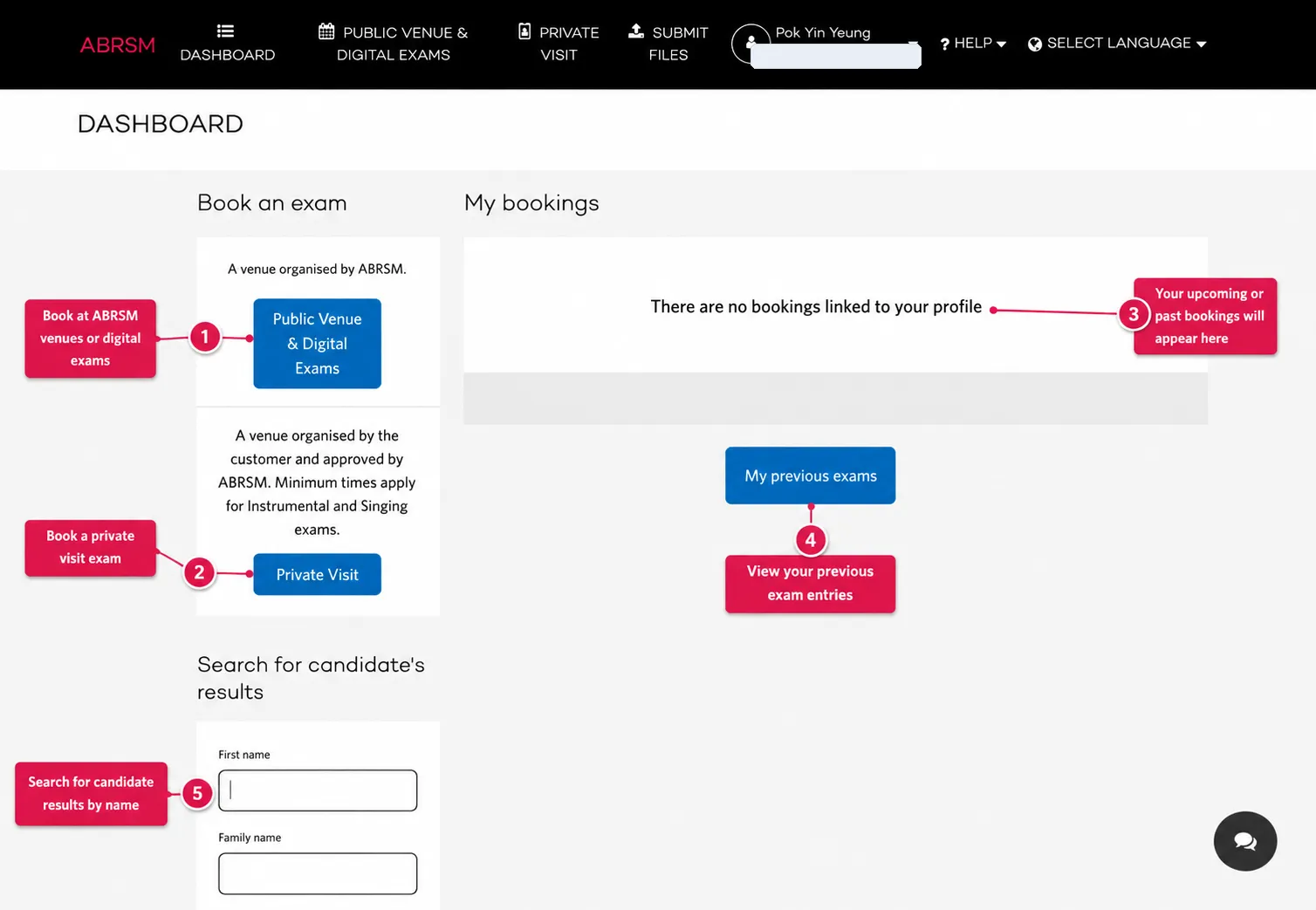
在 dashboard 選擇 Public Venue & Digital Exams。
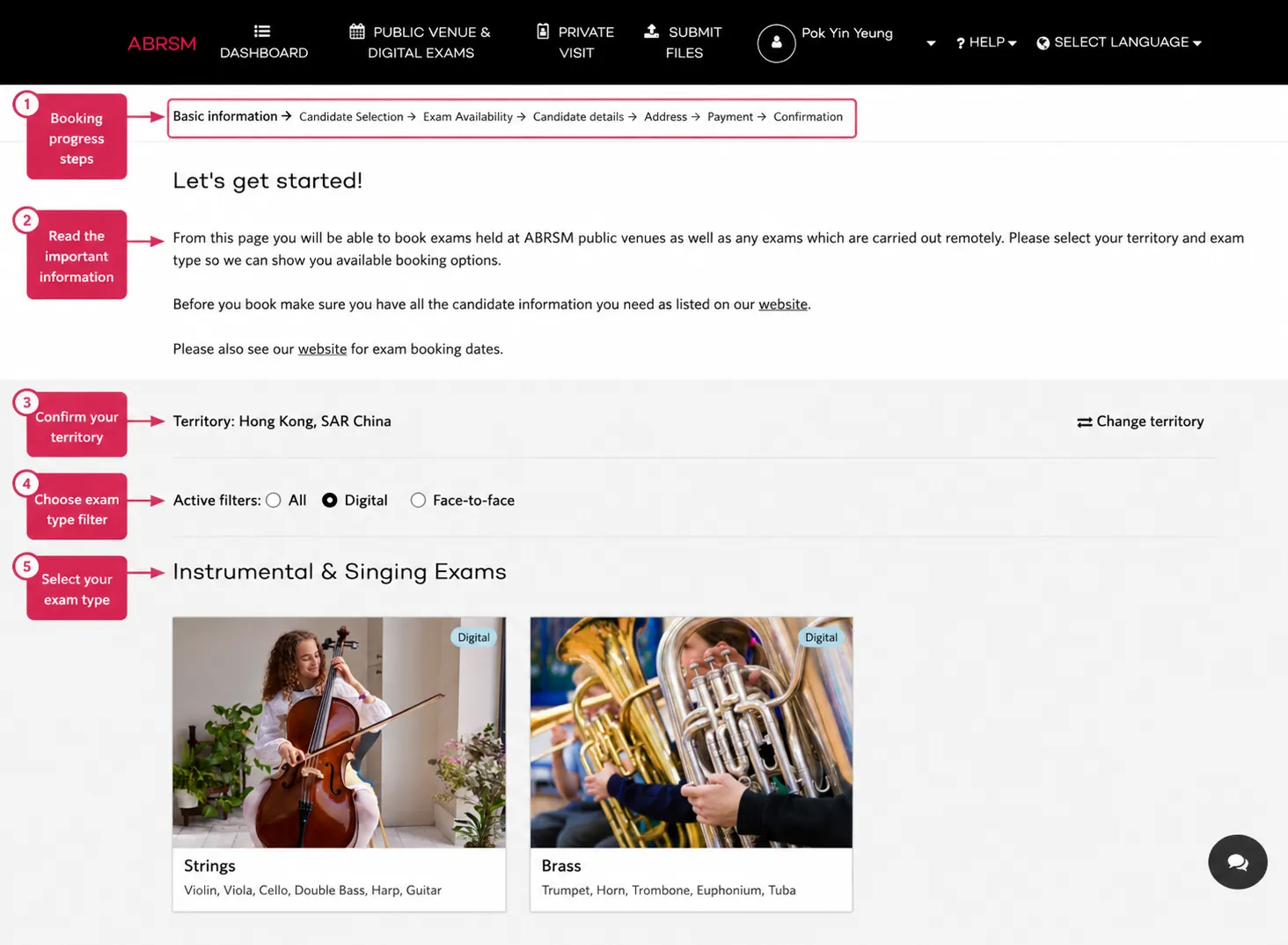
確認 territory,例如 Hong Kong, SAR China。地區會影響可報考的考試、價錢、日期和付款資料。
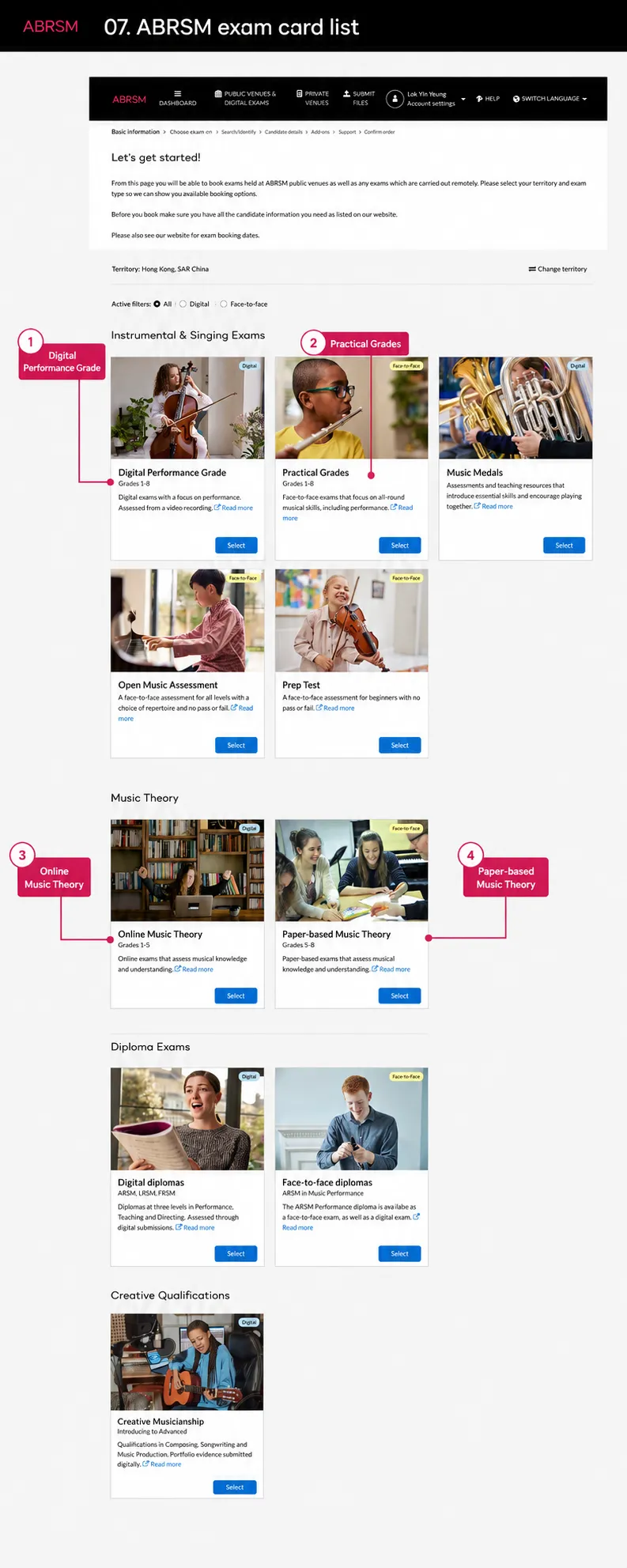
選擇 Online Music Theory, Grades 1-5。除非你要報 paper-based route,否則不要選 Paper-based Music Theory。
Candidate selection 與 setup warning
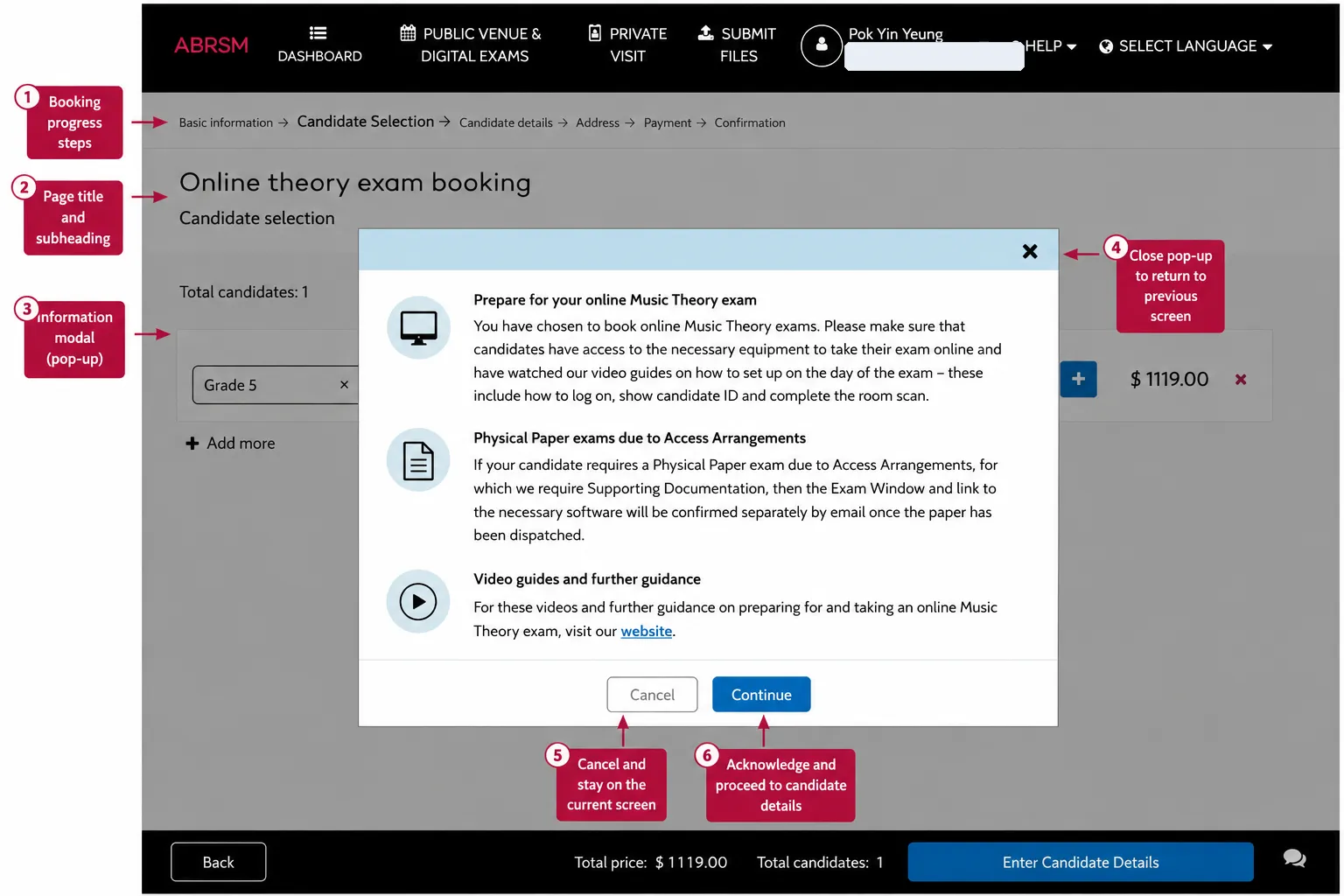
ABRSM 可能會顯示 Online Music Theory setup warning。繼續前要讀清楚:考生需要合適設備,明白 setup guidance,並準備好出示 ID 和完成 room scan。
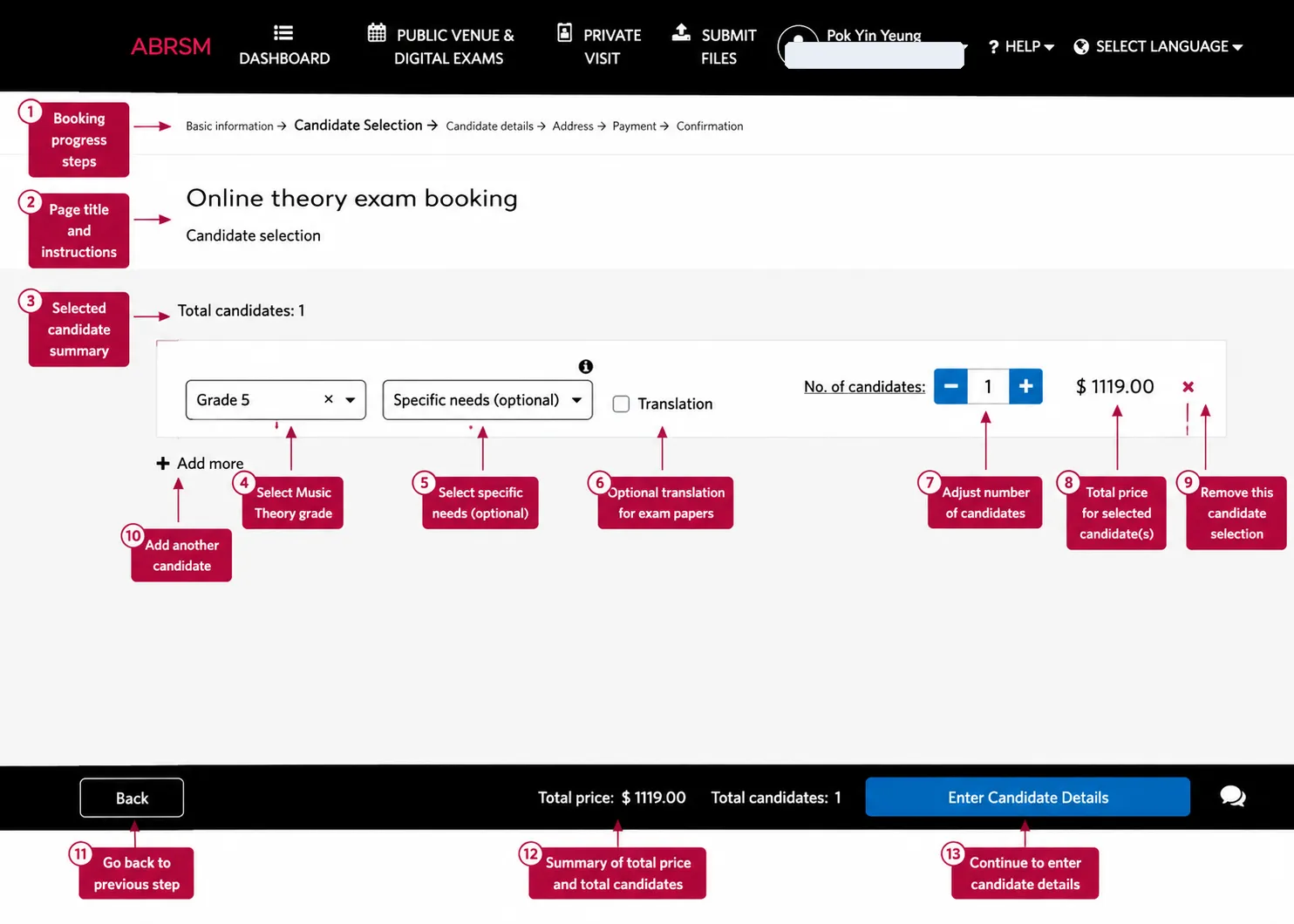
選擇 theory grade,例如 Grade 5。如有需要,選擇 specific needs。只有在考生需要時才勾選 Translation。設定考生人數,然後按 Enter Candidate Details。
考生資料與付款
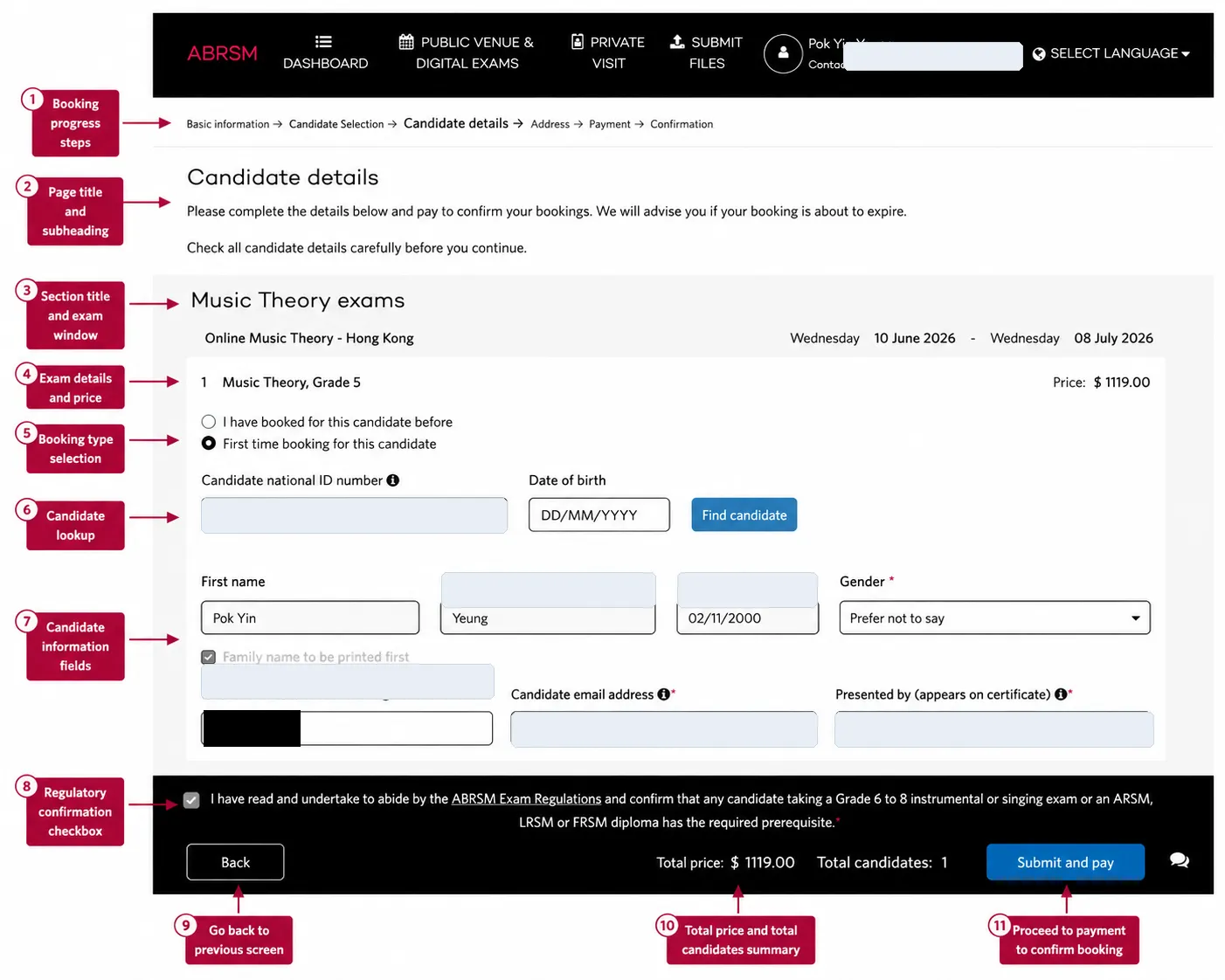
選擇這位考生是否曾經被 booking 過。輸入考生 National ID number 和 date of birth,然後按 Find candidate。
如果系統找不到考生,就要填寫考生資料。繼續前請檢查考生姓名、出生日期、National ID、candidate email address、certificate display name、grade、價錢和 exam window。
確認後才勾選 ABRSM regulations confirmation,然後按 Submit and pay。
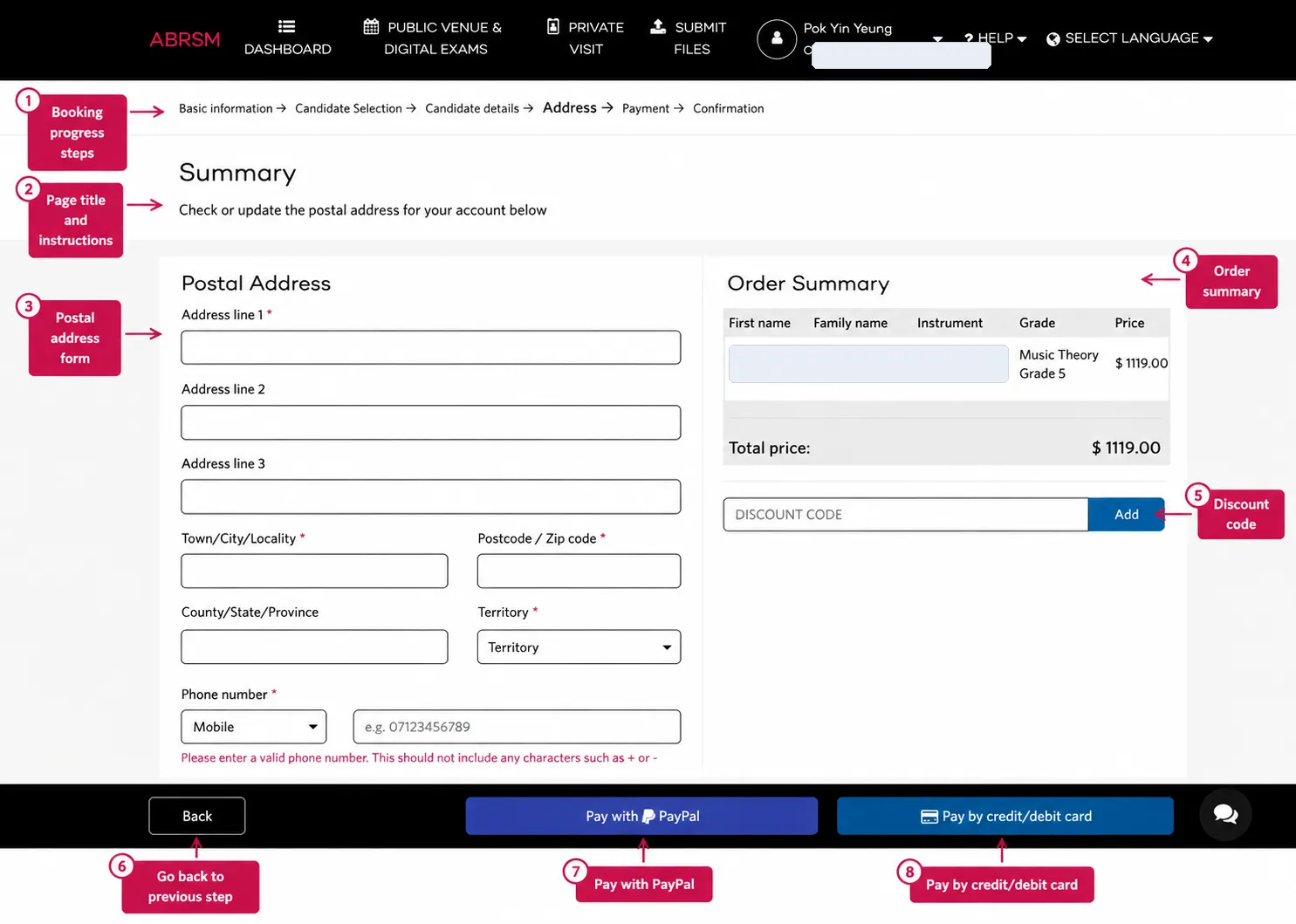
填寫 postal address 和 phone number。如果系統提示電話號碼不可包含 + 或 -,就只輸入數字。
檢查 order summary,如有 discount code 就加入,然後用 PayPal 或 credit/debit card 付款。等待 ABRSM confirmation page 和 confirmation email。
Booking 後要做甚麼
Online Music Theory Grades 1-5 完成 booking 後,考試 entry 就會建立。Exam link 之後會經 email 發送,所以要留意考生或 account email inbox。
考試 window 前,請檢查:
- confirmation email 已經收到
- candidate email address 正確
- spam 或 junk folder 已經檢查
- 考生有合適設備
- candidate ID 已準備好
- 考生明白 login、ID check 和 room scan
- exam link 已收到,並在 exam window 關閉前測試可用
最後檢查
付款前,慢一點確認 ABRSM account、territory、Online Music Theory grade、考生人數、考生姓名、出生日期、National ID、candidate email address、certificate display name、translation option、specific-needs option、價錢和 discount code。
Online Music Theory 尤其要小心 email address。Booking 正確只是第一步,考生也要能夠準時收到和使用 exam link。